Hello, everyone!
The aim here is to write something as useful as fast for reading and at the end you’ll be able to access your Redis server from everywhere. Even giving a quick and straightforward approach, don’t overlook it: this subject fell heavily on my head twice in production environments.
Step 1: search the file redis.conf
Usually, this file is under /etc/redis directory, if your system runs in a Linux OS, but you can check it using locate command (review this post):
locate redis.conf
Then, you have to edit it. If you’re using Windows you have to open it in the administrative mode in a tool like Notepad++; if you’re using Linux, you can do (inside the correct directory):
sudo nano redis.conf
Now, you’ll change the protected-mode parameter and comment the line with bind 127.0.0.1:
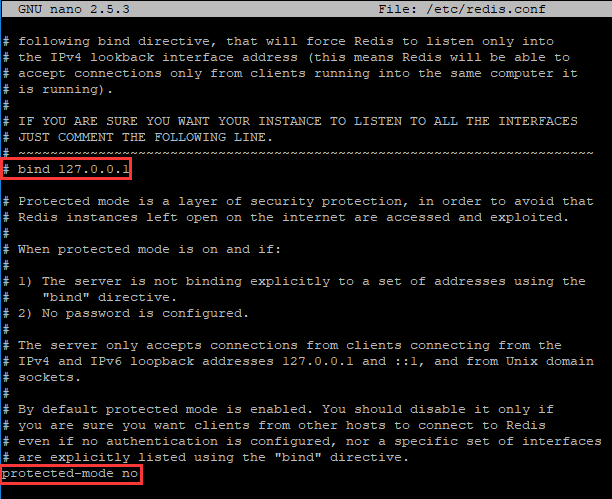
In Linux, press CTRL+O (to save) and CTRL+X (to exit the nano editor), then restart Redis service:
sudo service redis-service restart
We’re done! Everything will run fine when your system tries to communicate with the Redis server.
By Igor Magalhães Oliveira
Leave a Reply